
Translated from the Japanese original on mureo.jp.
Once you have decided to connect Claude Code to an ad account, the first thing you hesitate over is probably not which platform to start with but whether to allow changes at all. If it only reads the numbers and explains them to you, there is little to lose. The moment it can change budgets or delivery status, the weight of a mistake changes.
When we looked for first-hand accounts, the scope people hand over is consistent. When we researched posts on X (formerly Twitter) on October 9, 2026, there were three first-hand records of people connecting Claude Code or similar tools to ad accounts, and all of them delegated only reading and record-keeping. In that research, reports of an incident where delegated writes led to unexpected spend came to zero. In research on October 23, three people who had narrowed the scope they delegate all gave the same trigger: “a gap between the AI’s report that it was done and what actually happened.” All of these are summaries of posts; we have not verified that the accounts are real or what businesses they run.
Starting read-only is a conclusion many people reach on their own. The real trouble comes after that. There are several places where you can make things read-only, and which of them you can narrow differs by platform; and the line between work that read access covers and work it does not is hard to see until you actually use it. Here we go in order through the three places to make things read-only, the range of work that runs on read access alone, and the five things to decide before handing over write access. How to choose an ad MCP in the first place is covered in Which ad MCP server should you use?, and the overall picture of how much to leave to an agent is in How much of ad ops to hand to Claude Code.
There are three places you can make things read-only
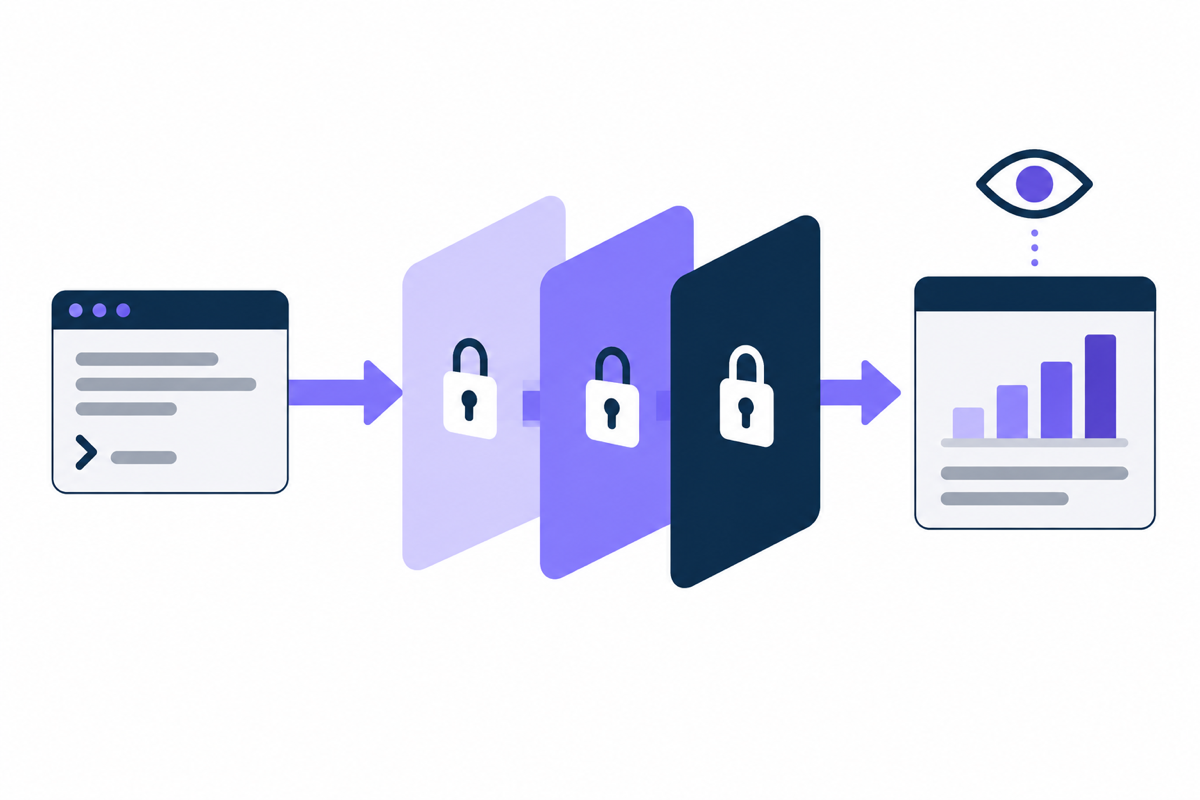
“Read-only” is one phrase, but the place that actually stops writes is not necessarily just one. The places that stop them can be split into three: the user permissions on the ad account, the scope of the token you hand over at authorization, and the tools the MCP server has.
User permissions on the account: You enter the ad account as a user who can only view. The credentials used for the connection have no permission to make changes in the first place, so no matter how the MCP or the agent behaves, a write does not go through. This is the place with the strongest stopping power.
Token scope: When you authorize with OAuth, you hand over a read-only scope. Even if the token is stolen, or the server makes a call you did not expect, anything outside the scope is refused. This only works, however, when the platform offers a read-only scope.
MCP server tools: The server itself has only read tools, or is built so that write tools can be disabled. The agent cannot see any means of writing, so accidental calls do not happen. On the other hand, swapping the server or changing its settings would let writes through, so what is stopping them is how the server is built, not the account’s permissions.
If you rely on only one of the three, nothing stops writes when that one fails. Next, we look at which places are available on the main platforms.
Which places you can narrow differs by platform
We set out what we could confirm in each platform’s official documentation as of October 27, 2026. Where we could not confirm something, we say so.
| Platform | Account permissions | Token scope | MCP server |
|---|---|---|---|
| Google Ads | There is “Read only” access | There is one API scope, adwords, and no read-only category is documented officially | The official MCP is read-only |
| Meta Ads | Permissions can be split in the UI (check the details in your own environment) | Split into two, ads_read (read) and ads_management (read and write) | The official MCP reads and writes (open beta) |
| Yahoo! JAPAN Ads | Not confirmed in the official documentation | Same as left | The official MCP is mainly for viewing |
Google Ads takes extra effort here. The scope required to authorize the Google Ads API is https://www.googleapis.com/auth/adwords, and the official explanation of how it works (OAuth 2.0 internals) lists no read-only scope. In other words, there is no means, at least none shown officially, of narrowing to read-only at the authorization stage. What you can narrow are the other two: entering the ad account as a user with “Read only” access, or using a server that has only read tools, like the official MCP. With “Read only” access, you can view campaigns and create and run campaign performance reports, but you cannot edit campaigns or billing information.
Meta Ads is the opposite: it is a platform where the token scope makes the split easy. In the official list of permissions, ads_read is the permission for reading ad reports through the Insights API and does not include creating or changing ads. ads_management is a permission that allows both reading and managing the account. If you start with reads only, you can authorize within ads_read and add ads_management when you get to handing over writes. The official MCP, however, supports both reads and writes, so if you narrow on the MCP side, confirm how it combines with the authorization scope before using it.
For Yahoo! JAPAN Ads, in this research we could not confirm from the official documentation how fine-grained the account-side permissions are. We do know that the official MCP is centered on viewing, so start from leaning toward reads on the MCP side, and decide the account permissions by looking at your own environment in the UI.
Work that read access alone covers
People tend to assume that limiting things to reads will cut the work it can do a great deal. The range that actually gets cut is smaller than you might think. How we run this site is one example: checking search rankings, checking analytics, reconciling inquiries and checking session recordings all run on read permissions alone. The weekly report, the candidate problems and the material for deciding the next article to write all come together with reads only.
Ad ops has a number of jobs of the same shape.
- Checking daily and weekly numbers, and comparing them with the previous period
- Detecting anomalies such as delivery having stopped, budget going unspent or spend suddenly rising
- Reviewing search terms and producing candidate terms to exclude
- Comparing the performance of ad copy and creatives
- Pulling the change history and sorting out what was changed when
These five work without handing over write permissions. With a split where the agent goes as far as producing exclusion candidates and a person actually enters the exclusions in the UI, the first month runs well enough. Estimating how much delivery would disappear if you added an exclusion can also be done with reads alone. The method is in Estimate how much delivery disappears before adding exclusions.
On the other hand, some work does not end with reads. Adding exclusions, adjusting budgets, pausing and resuming, and trafficking ads all leave the time a person spends opening the UI and entering things by hand. When that starts to feel heavy, it is time to consider writes.
Reads have their incidents too. There was also a post about an agent reading another account’s numbers and answering “it is not delivering” (October 9 research). That is not a permissions problem but a mix-up over which account and which period it was looking at. Steps for checking the numbers it read against the UI are collected in Can you trust the ad numbers an AI agent gives you?
Five things to decide before handing over writes
When you allow writes, deciding the following five things before you allow them means fewer things to fix later. If you reverse the order, handing over permissions and deciding as you go, incidents happen before you decide.
Scope: Decide which platform, which account and which campaigns it is limited to. At first, pick one campaign where the impact is small even if it stops. The reason not to allow writes to the whole account from the start is that the damage when a mix-up happens is proportional to the scope.
Limits: Decide in numbers how far a single change may move things. For a daily budget, that means how much one change may move it and how many times a day it may be moved. Each platform has a different ceiling on how far it spends past a daily budget (Google Ads and Yahoo! JAPAN Ads up to twice the daily budget, Meta Ads up to 75% more). Keep limits on the agent side separately from the platform’s ceiling. How to set up the two layers is in Why ads spend more than the daily budget.
Approval: Decide whether to put a step where a person reviews and approves a change before it is executed. It works well to decide, for each type of change, which changes go through without approval, splitting them along the lines of “budget increases need approval, adding exclusions does not.”
Records: Leave what was changed, why and when, in a form you can read later. As changes pile up, a few weeks later you can no longer answer “what caused this movement in the numbers?” The design of the records is in Keeping your own change log for ad accounts.
Rollback: Decide how to undo a change before you make it. If you have recorded the original value, you can put together the steps to roll back. A change whose value you do not know cannot be rolled back, so make keeping the pre-change value part of the write mechanism.
Our mureo puts these five on the mechanism side. Diagnostics that take in external data are read-only, ending with every change-type tool left unexecuted. Even when writing to a real account, it allows only operations registered on an allow list as eligible for rollback, and keeps records in an append-only form. Operations outside the allow list do not go through, even in the name of a rollback. This is about mureo’s design, and other MCPs are not necessarily built the same way. Before choosing an MCP, check whether it keeps the value from before a write and whether it has a way to undo it.
The order for widening from reads to writes
Once you have run on reads for about a month and the work that falls short becomes visible, add writes. The safe way to add them is not to widen everything at once but to add one type of change at a time.
- Run on reads only. Check against the UI that no numbers are being mixed up.
- Allow one change with a small impact. For example, adding negative keywords, with approval.
- Run approved changes several times, and confirm that the records match what actually happened.
- Decide, one at a time, which types of change to take approval off. Changes that move a lot, such as budgets or pausing, can keep approval to the very end.
Step 3, “whether the records match what actually happened,” is the point that tends to be overlooked. In the October 23 research, the triggers for the people who narrowed the scope they delegate were: the budget amount ended up at an unintended value; it had been touching the paid ad creation screen; and “I can do that” was followed by “I couldn’t.” Each of these is a gap between the agent’s report that it was done and what actually happened. At the stage of allowing writes, do not trust the agent’s report; add a step that reads the numbers again after each change.
When read access alone stops being enough, and how to set the scope of allowed writes, vary with the size of the account and the team. If you have stalled on preparing the connection, or cannot decide which permissions to put where, get in touch with the platforms you use, the permissions you currently allow, and the work you want to delegate beyond reads. With our mureo Pro, we take on the preparation for using the Google and Meta APIs, so you can also choose to start without preparing a project or app yourself.
Frequently asked questions
What do I need to set to make Claude Code’s ad MCP read-only?
It is not decided by a single setting. Of the three options, entering the ad account as a view-only user, limiting the authorization scope to reads (ads_read for Meta), and using an MCP that has only read tools, check which are available on each platform and, where possible, layer two or more.
Can I authorize the Google Ads API for reads only?
As of October 27, 2026, the official documentation lists no read-only scope. The required scope is the single https://www.googleapis.com/auth/adwords. To narrow to reads, either use a user with “Read only” access on the account, or use a server that has only read tools, like the official MCP.
If I start read-only, what will be missing?
Work that changes the account remains, such as adding negative keywords, changing budgets, pausing and resuming, and trafficking. The agent goes as far as producing candidates, and a person carries them out in the UI. For the first month this split is often enough; consider writes starting with the work where the manual effort has grown heavy.
If I allow writes, should every change require approval?
The safe approach is to require it for all of them at first, and to take it off by type of change only after you have confirmed several times that the records match what actually happened. Changes that move a lot, such as budget increases or pausing, can keep approval to the very end.
The official Meta Ads MCP supports reads and writes. Can I use it for reads only?
If you narrow the authorization scope to ads_read, the permission needed for writes is not handed over. The official MCP is in open beta, however, and the authorization steps and the set of tools may change. Before using it, check on the authorization screen which permissions are actually handed over.
Summary
When you start your ad MCP read-only, do not rely on a single place to stop writes; layer whichever of the account permissions, the token scope and the MCP server’s tools are available on the platform. Google Ads cannot be narrowed by scope, so stop writes with the account permissions or on the server side; Meta Ads can be narrowed with ads_read.
Reads alone cover checking numbers, detecting anomalies, extracting exclusion candidates, comparing performance and sorting out change history. It is not too late to hand over writes once the manual work has grown heavy. Before handing them over, decide the five things, scope, limits, approval, records and rollback; widen one type of change at a time; and confirm with the numbers after each change, not with the agent’s report that it was done.