
Translated from the Japanese original on mureo.jp.
When you set out to operate an ad account from Claude Code and search for “google広告 mcp” or “yahoo広告 mcp” (Google Ads MCP, Yahoo Ads MCP), the results mix official MCPs published by the platforms themselves, unofficial MCPs published by individuals and companies, hosted services you only have to log in to, and servers you install and run yourself, without distinguishing between them. They all present themselves as an ad MCP, so the names alone do not tell you how they differ.
There are three things to look at when choosing: who runs the server, whose credentials it uses to enter the ad account, and whether it can only read or can also write. Once you know those three, you can tell, before installing anything, which setups are likely to be a problem under the platform terms and which will cost you effort in day-to-day operation.
The numbers are small, but people searching these terms do show up in our own data. In mureo.jp’s Search Console, over the 30 days from September 4 to October 3, 2026, “yahoo広告 mcp” was shown 34 times, “google広告 mcp” 11 times, “mcp 広告” (MCP ads) 7 times, and “meta広告 mcp” 6 times. For “yahoo広告 mcp”, our Yahoo! JAPAN Ads article appeared at an average position of 4.9 and got 2 clicks; “google広告 mcp” stayed at around position 18. Including other phrasings, seven queries added up to 63 impressions, roughly double the 30 days we looked at as of September 4 (27 impressions across seven queries). Yet the site had no page about MCP itself, and these searches were landing scattered across the per-platform articles.
What follows lines up the official MCPs each platform offers as of October 6, 2026, then works through where the official servers fall short, where to draw the line when choosing an unofficial one, and what you take on when you run one yourself. The broader picture of handing ad ops to an agent is in Can you automate ad ops with Claude Code?
Two ways an MCP server runs
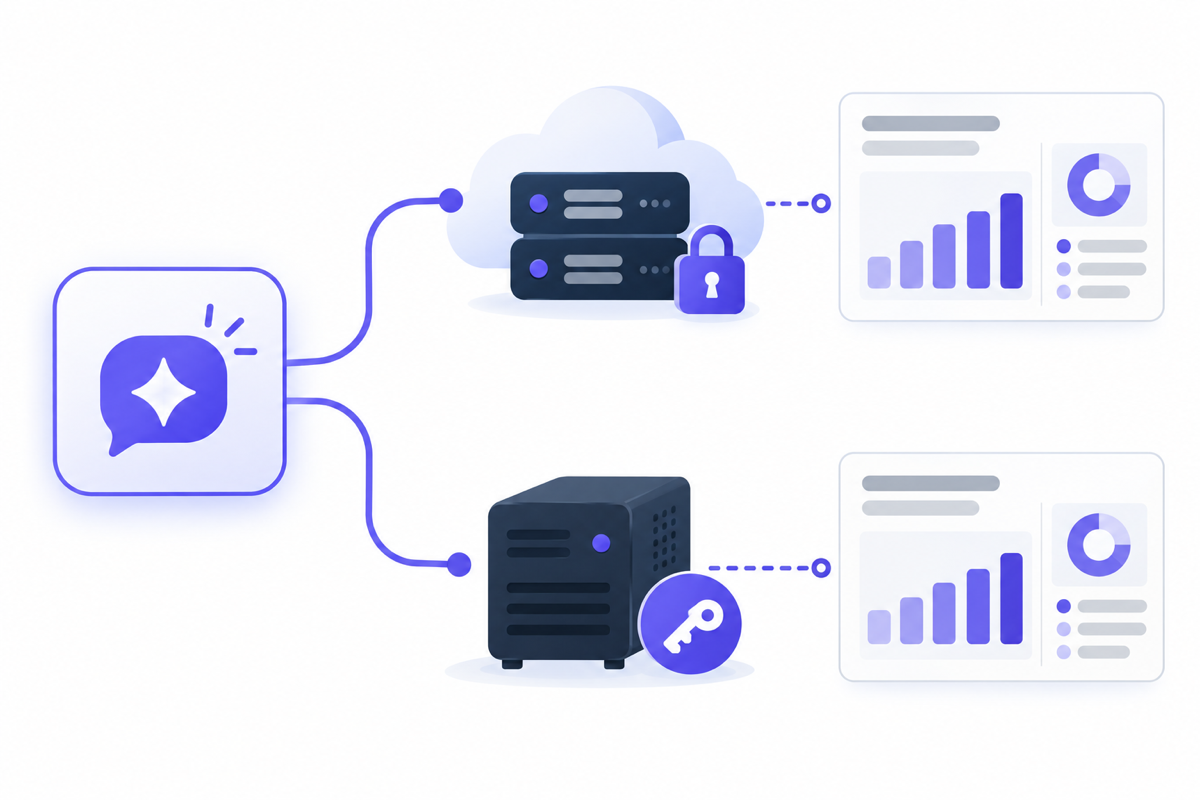
MCP (Model Context Protocol) is the agreement between a client such as Claude Code and a server that calls the ad API. The specification defines two transports, and which one a server uses changes where the server lives and where the credentials sit.
Local (stdio): Claude Code launches the server as its own child process and talks to it over standard input and output. The server runs on the user’s machine and reads credentials from that environment, such as environment variables or a config file.
Remote (Streamable HTTP): The server runs independently, and Claude Code connects to it over HTTP. Authorization uses OAuth 2.1 (an optional feature in the specification). Servers hosted by a platform or a vendor, which you connect to by authorizing with your own account, fall into this category.
Either way, you add the server to Claude Code with claude mcp add.
# Local (stdio): pass the command that starts the server on your machineclaude mcp add --transport stdio <name> --env KEY=value -- <command> [args]
# Remote (Streamable HTTP): pass the server URLclaude mcp add --transport http <name> <URL>
If a remote server requires OAuth authorization, open /mcp inside Claude Code after adding it and complete the authorization there.
The official MCPs for Google Ads, Meta Ads, Yahoo! JAPAN Ads and Amazon Ads
As of October 6, 2026, four of the major ad platforms offer an official MCP. Put side by side, neither the delivery model nor the capabilities line up.
| Platform | Delivery model | What it can do | Authentication |
|---|---|---|---|
| Google Ads | You run it (stdio on your machine, or Streamable HTTP on your own cloud). No server hosted by Google | Read-only (three tools, including GAQL search) | OAuth client or ADC, plus a Google Cloud project |
| Meta Ads | Remote, hosted by Meta. Open beta | Read and write (reporting, creating and managing ads, catalogs, A/B tests, etc.) | Announced as not requiring a developer app |
| Amazon Ads | Open beta. For partners holding Amazon Ads API credentials | Read and write (creating, updating and deleting campaigns, reporting, etc.) | Amazon Ads API credentials |
| Yahoo! JAPAN Ads (LY Corporation) | You run it (install and start it on your machine) | Mainly read access to Search Ads and Display Ads. The README lists no tools that make changes | OAuth |
Google’s official MCP is an open-source server published on October 7, 2025. It has three tools: one that searches with GAQL, one that retrieves the field definitions of resources, and one that lists the accounts you can access. The official documentation states plainly that it is read-only and cannot change or create anything. You run it yourself, either starting it on your own machine or placing it on your own infrastructure such as Cloud Run and connecting over HTTP. Authentication uses an OAuth client or Application Default Credentials (ADC), and since the developer token was retired on September 9, 2026, the API access level belongs to the Google Cloud project in which the OAuth credentials were created. Because you run it with your own OAuth client, the official MCP is also capped at that project’s level (on Explorer, 2,880 operations a day against production). How the levels differ and how to apply are covered in Stuck on the Google Ads API access level.
Meta’s official MCP was announced on April 29, 2026 as “Meta ads AI connectors” (an MCP and a CLI). It is a remote server hosted by Meta itself, which you add to Claude Code by specifying its URL. Beyond reads such as pulling reports, it supports writes: creating and managing ads, catalogs, and A/B tests. The announcement says you do not need to set up a developer app. Because it is in open beta, the number of tools and the finer points of the authorization flow may change.
Amazon Ads MCP Server entered open beta on February 2, 2026. It is aimed at partners who already hold Amazon Ads API credentials, and it supports creating, updating and deleting campaigns as well as pulling reports. We could not confirm from the announcement whether it is hosted by Amazon.
LY Corporation, which runs Yahoo! JAPAN Ads in the Japanese market, launched LY Ads MCP Server on September 14, 2026. It is open source; you install it on your machine with pipx and run it after authorizing with OAuth. It covers read access to Search Ads and Display Ads, and the README lists no tools that make changes. The Ads API terms of use, revised the same day, define the covered API to include what is provided in a form conforming to MCP, and define the applications connecting to the API to include generative AI products. For Yahoo! JAPAN Ads, this reads as connection from generative AI now being an anticipated use under the terms as well.
Where the official MCPs fall short
If there is an official server, you might expect installing it to be enough. Mapped onto day-to-day ad ops work, though, gaps appear.
First, Google Ads’ official MCP is documented as read-only, so it cannot traffic ads or change budgets. Yahoo! JAPAN Ads’ official MCP is also mainly about reading, and its README lists no tools that make changes. In both cases the official server is enough for reading the numbers and running checks, but if you want an agent to go as far as adding negative keywords or adjusting daily budgets, you need another route.
Meta Ads’ official MCP can write. That means the approval and limit mechanisms, such as which operations may go through without confirmation and how much budget may be moved in a day, have to be provided by whoever uses it. A server supporting writes and writes being safe to delegate are two separate things to check.
The other gap is work that spans platforms. Official MCPs are separate servers per platform, so if you want to compare Google Ads and Yahoo! JAPAN Ads search campaigns in a single conversation, you end up installing one server per platform, each with a different delivery model and authentication.
Where to draw the line with unofficial MCPs
Unofficial MCPs fill the gaps the official ones leave, and in form they fall into two broad lineages. One is open source, published for users to install in their own environment and run with their own credentials. The other is a service hosted by a vendor, where you connect your ad accounts over OAuth and handle multiple platforms together.
The difference between the two matters under the Google Ads API policy. The policy prohibits third-party-hosted interfaces, wrappers, MCP servers and proxies that merely repackage Google Ads’ programmatic functionality and re-expose it as an intermediate layer. The exceptions it lists are automation developers build for their own business, and open-source tools that users download themselves and connect with their own credentials.
This does not mean “every hosted service is a violation”. What the policy targets is something that merely repackages Google Ads functionality and offers it as is. Still, if you are considering a hosted service, it is worth confirming before you sign up what the service adds on top of the API, and whether it runs on the credentials of your own Google Cloud project or on credentials shared by the provider. An MCP hosted by the platform itself, like Meta’s, is a separate category, because the platform is offering it as a gateway to its own API.
The setups the terms name explicitly, and what stops when something goes wrong on the official route, are covered in detail in Can connecting your ad account to Claude get it banned?
What you take on when you run an MCP yourself
With an MCP you run yourself, official or unofficial, the responsibility for running the server falls on the user. There are four things you take on.
Where the credentials live: You decide which file or environment variable holds the OAuth client secret and refresh token. A setup where the credentials enter the agent’s conversation and one where the server reads them and never passes them to the agent differ in how far a leak reaches.
Which process touches which account: You decide and manage how many ad accounts and credentials a single server holds.
Keeping up with platform spec changes: When the API version moves up or field names change, it is the user who updates the server.
Whether you notice when the API stops: An expired access token or a revoked permission happens without stopping delivery. If the server returns a failed pull as zero rows, it takes a while to notice that you can no longer read.
The second of these is where we tripped ourselves. mureo is built so that one MCP server process is bound to one workspace (one client’s credentials and settings). At one point, internally, we tried to read the Search Console data for two sites, mureo.jp and mureo.io, from the same session, and one of them was refused. The running process held only one workspace’s credentials. We solved it by preparing a wrapper that starts a server in a separate workspace for mureo.io. Being able to decide which process holds which credentials is an advantage of running it yourself. In exchange, managing those combinations becomes the user’s job too.
How to choose an ad MCP
Put as a procedure, deciding in this order is a reasonable way to proceed.
- Decide the use: Decide first whether you only want to read the numbers and run checks, or to delegate trafficking and budget changes too. The first month is often mostly reports and checks, so starting with read access should rarely leave you stuck.
- Check whether the platform has an official MCP: As of October 6, 2026, Google Ads, Meta Ads, Amazon Ads (for API partners) and Yahoo! JAPAN Ads have official ones. If read access is enough, start with the official one.
- If that falls short, choose an unofficial one that runs on your own credentials: This applies when you need writes on Google Ads or Yahoo! JAPAN Ads, or want to handle multiple platforms in one conversation. If you choose a hosted one, confirm first whose credentials it runs on.
- If you allow writes, settle approvals and limits first: Decide which operations go to a human for confirmation and how much money may be moved in a day before widening permissions. The design approach is in Is it safe to hand ad ops to Claude Code?, and where to draw the line on how much to delegate is in How much of ad ops to hand to Claude Code.
How mureo handles this
mureo, which we build, is an MCP that runs in the user’s environment. It calls each supported platform’s official API with credentials the user issued themselves, and lets you handle Google Ads, Meta Ads, Yahoo! JAPAN Ads, Amazon Ads and others from a single conversation. For Amazon Ads, rather than calling the API again on our own, we build it in by relaying Amazon’s official MCP. Operations that change budgets or bids go through approvals and limits.
FAQ
If there is an official MCP, do I still need an unofficial one?
If read access is enough, the official one will often suffice. Google Ads’ official MCP is read-only and Yahoo! JAPAN Ads’ is mainly about reading, so an unofficial one comes into consideration when you want to delegate trafficking and budget changes, or handle multiple platforms in one conversation.
Can I traffic ads with Google Ads’ official MCP?
Not as of October 6, 2026. The official documentation states that it is read-only, and it has only three tools: GAQL search, retrieving field definitions, and listing the accounts you can access.
Is using a hosted MCP a violation of the terms?
Being hosted is not in itself a violation. What the Google Ads API policy prohibits is a service in which a third party merely repackages Google Ads functionality and offers it as an intermediate layer. An MCP hosted by the platform itself, like Meta’s, is treated separately. If you use a hosted unofficial service, it is safer to confirm in advance whose credentials it runs on.
Is there an official MCP for Yahoo! JAPAN Ads?
Yes. LY Corporation launched LY Ads MCP Server on September 14, 2026. You run it on your own machine, and it supports read access to Search Ads and Display Ads. The README lists no tools that make changes. What matters when connecting Yahoo! JAPAN Ads itself is covered in Driving Yahoo! JAPAN Ads from Claude Code.
Do I need a developer token to install an MCP?
The Google Ads developer token was retired on September 9, 2026. Using the official MCP, too, you can connect with an OAuth client or ADC plus a Google Cloud project. Meta Ads’ official MCP is announced as not requiring a developer app either. What you need differs by platform, so see Driving Google Ads from Claude Code for the Google Ads steps and Driving Meta Ads from Claude Code for the Meta Ads steps.
Summary
When choosing an ad MCP, look at three things: who runs it, whose credentials it runs on, and what it can do. As of October 6, 2026, Google Ads, Meta Ads, Amazon Ads and Yahoo! JAPAN Ads each have an official MCP, but Google’s is read-only and LY Corporation’s is mainly about reading; the ones that can write are Meta’s and Amazon’s.
If read access is enough, start with the official one, and when you need writes or work across platforms, choose a setup that runs on your own credentials. If you then allow writes, the realistic path is to settle approvals and limits first and widen permissions after that.
Related guides
- Can you automate ad ops with Claude Code?
- Can connecting your ad account to Claude get it banned?
- Is it safe to hand ad ops to Claude Code? The risks, and a design for delegating safely
- How much of ad ops to hand to Claude Code
- Driving Google Ads from Claude Code: how to connect, and where people get stuck
- Stuck on the Google Ads API access level: the difference between Explorer and Basic, and how to apply
- Driving Meta Ads (Facebook and Instagram) from Claude Code
- Driving Yahoo! JAPAN Ads from Claude Code: what matters in the connection, and how it differs from Google Ads
- Driving Amazon Ads from Claude Code
- Can you trust the ad numbers an AI agent gives you? Checking which account, which period, and what was counted